Qubitwerk Lab for the Mac
The quantum computer on your Mac.
Free to download. Everything computes on your Mac, dense circuits on the graphics chip.
By our measurements the fastest simulator on the Mac: ahead in all 120 comparisons, on average about 10 times faster than Qiskit Aer and qsim, 46 times faster than QuEST and 43 to 145 times faster than PennyLane Lightning.
What’s inside
What the app does
All experiments, offline
Combination lock, Grover search, playground, particle lab and the diamond lab with workbench and measuring station run in the app without internet. You save print files for the build directly.
Pro window
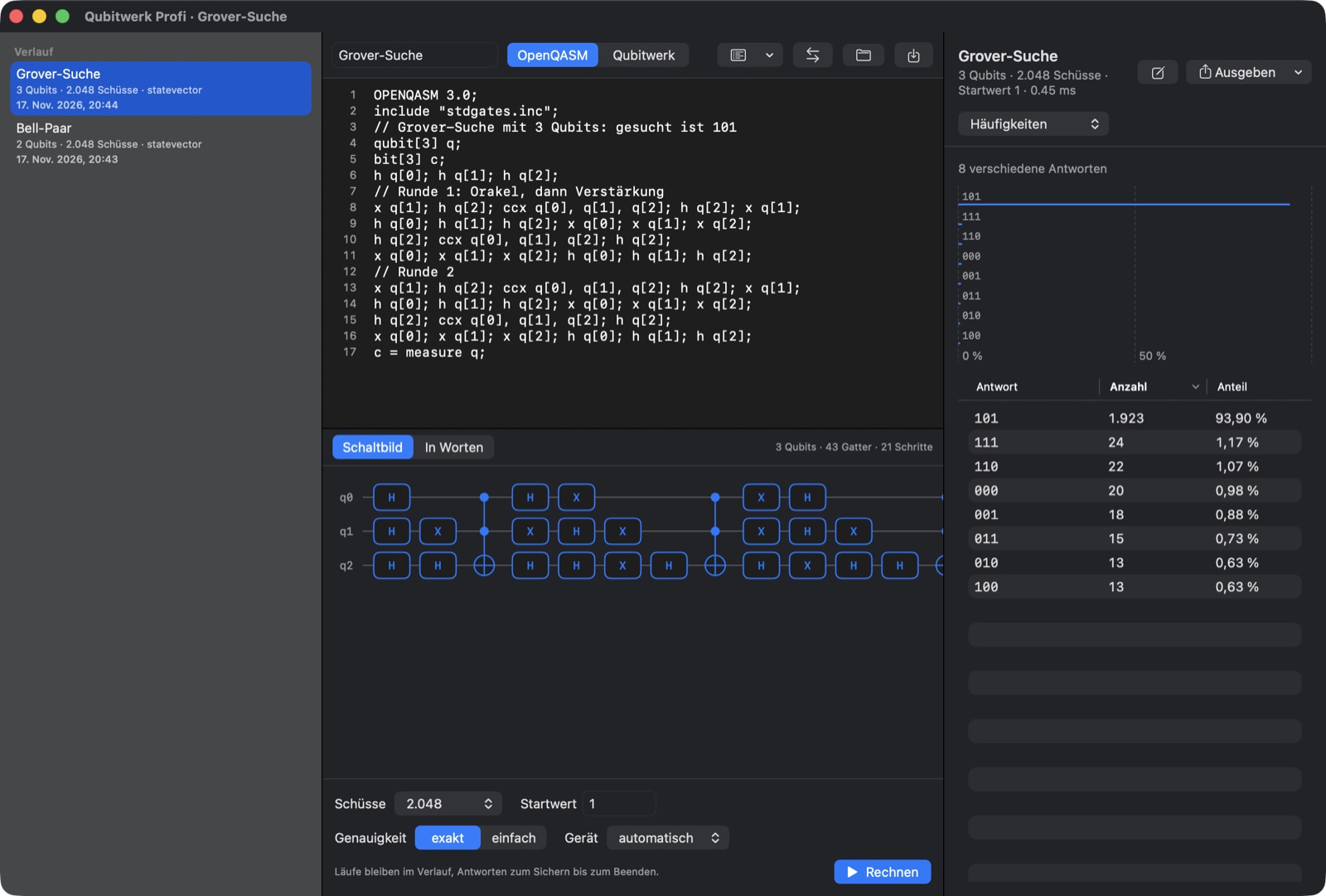
Write your own programs in OpenQASM 2 and 3 or in the simple Qubitwerk format. You see the circuit diagram, frequencies, expectation values and the full state. Save results as JSON, CSV or NumPy files.
Command line and Python
If you like, the app sets up a command line and a Python package. Use them to run circuits from your own scripts, also from Qiskit. Everything still computes only on your Mac.
Measured on the Mac
This is how fast your Mac computes.
Same Mac, same circuits, same precision for each simulator. The number is the average factor over all circuits: how many times faster our core was.
- Qiskit Aerdouble precision, 10 cores10.7×faster on average3.1 to 83 times · ahead in 20 of 20
- qsimsingle precision, best fusion width10.5×faster on average1.6 to 125 times · ahead in 20 of 20
- PennyLane Lightningdouble precision43×faster on average2.7 to 229 times · ahead in 20 of 20
- PennyLane Lightningsingle precision145×faster on average3.0 to 751 times · ahead in 20 of 20
- PennyLane Lightning Kokkosdouble precision82×faster on average4.2 to 276 times · ahead in 20 of 20
- QuESTdouble precision, 10 cores, expectation value only46×faster on average8.5 to 92 times · ahead in 20 of 20
Measured on 17 November 2026 on a MacBook Pro, Apple M1 Max, 32 GB: 20 dense circuits with 16 to 28 qubits, quantum Fourier transform, random brickwork circuits and quantum volume. The figures per circuit are in the app under “Research & results”; the speed test re-measures on your own Mac.
In three steps
How to install the app
- Download and open
Download the file and open it with a double click.
- Drag to Applications
Drag Qubitwerk into the Applications folder.
- Start
On first launch the app shows what it stores on your Mac. Then you are ready.
Checksum (SHA-256)
4eb9271b194713fe19a6512ec8bf6805778ed80162111d71043e0dc5ae250871
Qubitwerk-Labor-0.9-Beta.dmg
Privacy
Your circuits stay on your Mac.
The app sends no data to us or to anyone else. It only remembers, on your Mac, what you set there.
- No account
- No ads
- No tracking
- Computes without internet
For companies and research teams
Use the core in your own software?
Email info@coolblack.gmbh, subject “Qubitwerk licence”.